
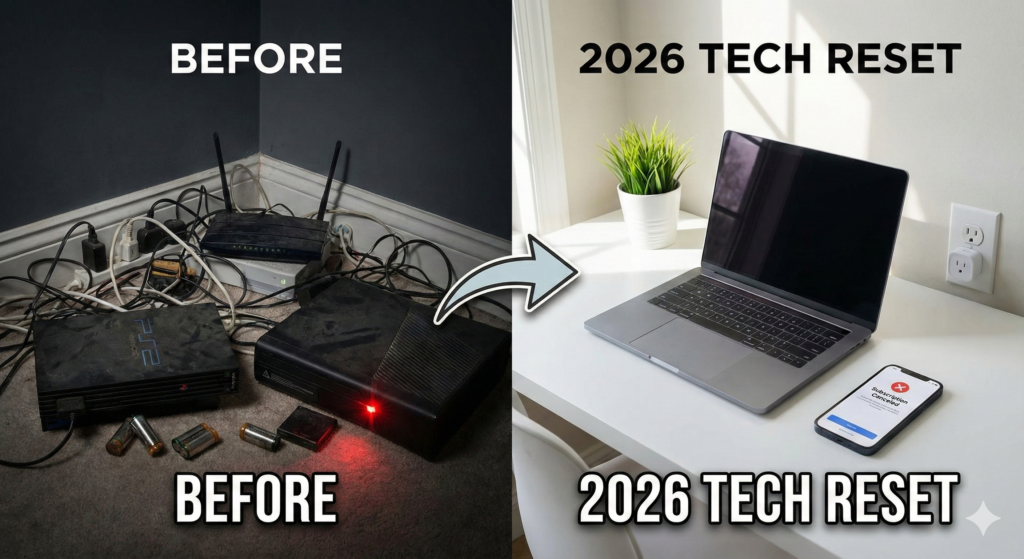

A 2026 tech reset is the single best thing you can do for your wallet this January. We scrub our floors and organize our closets, but when was the last time you deep-cleaned your digital life?
As we step into the new year, our homes are smarter, but they are also more cluttered. Between “vampire electronics” silently draining your electricity and “zombie subscriptions” draining your bank account, the average household is wasting hundreds of dollars a year. This practical guide to a 2026 tech reset will help you audit your devices, secure your home, and put money back in your pocket.
Quick Audit: Where Are You Wasting Money?
| Money Waster | The Problem | The 2026 Tech Reset Fix | Potential Savings |
| Vampire Power | Devices drawing power while “off” | Smart Plugs with Timers | $50–$100/yr |
| Zombie Subs | Forgotten streaming/app trials | Audit Bank Statements | $120+/yr |
| Old Modems | Renting outdated gear from ISP | Buy Your Own Modem | $150/yr |
| Cloud Storage | Paying for duplicate services | Consolidate to One Cloud | $30–$50/yr |
Phase 1: The Hardware Audit
At CES 2026, the biggest trend wasn’t flashy robots—it was energy efficiency. If you haven’t performed a 2026 tech reset on your home energy usage yet, you are likely paying a “laziness tax” to your utility company.
1. Kill the “Vampire Power”
“Vampire power” refers to devices that suck electricity even when they are turned off. Game consoles, older TVs, and coffee makers are the worst offenders.
- The Fix: Install Smart Plugs with Energy Monitoring (like the new Matter-compliant plugs from Schneider or Eve).
- The Strategy: Set them to automatically cut power to your entertainment center at 1:00 AM and turn it back on at 5:00 PM.
2. The “Cable Chaos” Purge
Go behind your TV and under your desk. If you see a cable that isn’t plugged into anything, throw it in a box. If you see a fraying charging cable, replace it immediately—it’s a fire hazard, not a backup.
Phase 2: The Software Audit
Subscription fatigue is real. A crucial part of your 2026 tech reset is tracking down exactly who you are paying $9.99 a month to.
1. Hunt Down “Zombie Subscriptions”
Check your bank statement for the last 12 months. Look for:
- Streaming services you haven’t watched since that one show ended.
- “Free trials” that silently converted to paid plans.
- Duplicate cloud storage (Are you paying for iCloud and Google One and Dropbox?).
Pro Tip: If you can’t decide if you need a service, cancel it. If you actually miss it, you can always sign up again later (often with a “come back” discount).
2. Update Your “Digital Will” & Passwords
If you are still using “Password123” or using the same password for your banking and your Netflix, stop.
- Action: Switch to a password manager or use the “Passkeys” feature standard in 2026 devices.
- Legacy: Ensure a trusted family member has emergency access to your phone or computer.
Phase 3: The Mental Reset
Your tech should work for you, not distract you. A successful 2026 tech reset means reclaiming your attention span.
1. The Notification Nuke
Go into your phone settings. Look at the list of apps allowed to send notifications.
- Keep: Messages, Calendar, Home Security, Banking.
- Disable: Social Media, Games, Shopping Apps, News.
- Why: You should choose when to check Instagram; Instagram shouldn’t choose when to interrupt your dinner.
2. Set Up “Focus Modes”
Smartphones in 2026 have incredible context awareness. Set up a “Work Mode” that blocks social apps during office hours, and a “Family Mode” that silences email when you walk through your front door.
If you are struggling to disconnect, consider swapping your smartwatch for a smart ring. Read our comparison here: Smart Ring vs Smart Glasses: Which Fits Your Life?.
FAQ: The 2026 Tech Reset Guide
What is a tech reset?
A tech reset is a deliberate audit of your digital life, including organizing hardware, canceling unused subscriptions, and securing your online accounts.
How often should I do a tech reset?
We recommend a “mini reset” every 3 months (checking subscriptions) and a full 2026 tech reset once a year in January.
Will unplugging electronics really save money?
Yes. The Department of Energy estimates that standby power accounts for 5-10% of residential energy use. Smart plugs can eliminate this waste.
Final Thoughts
A 2026 tech reset isn’t about throwing away your gadgets. It’s about taking control. By streamlining your digital life, you aren’t just saving battery life or a few dollars—you’re making space for the things that actually matter this year.
(Need help deciding what new gear is actually worth buying? Check out our CES 2026 Tech Trends Guide for the practical winners.)