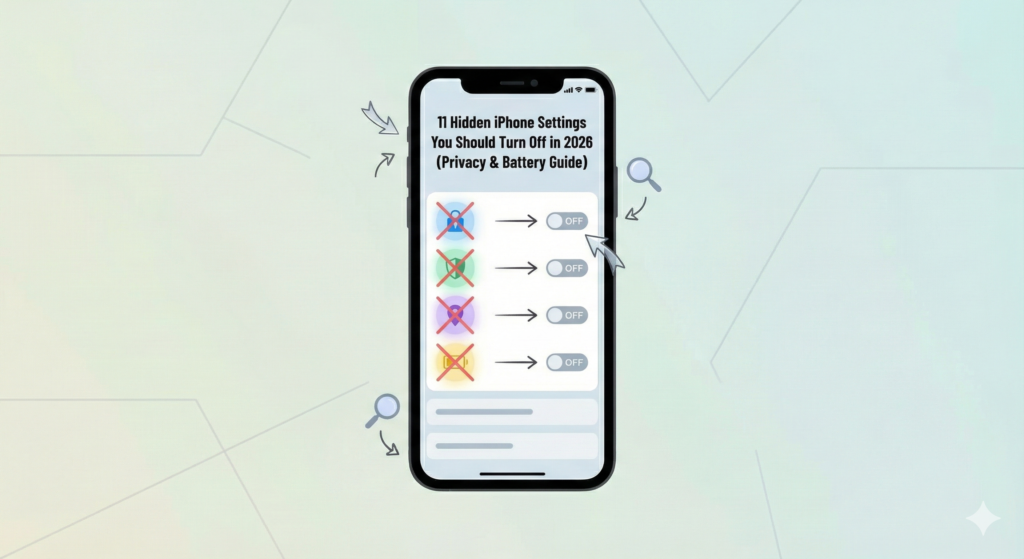

Hidden iPhone settings can quietly impact your privacy, battery life, and overall performance without you even realizing it. In 2026, Apple continues to introduce AI-powered features and background services that are enabled by default — many of which you may not actually need.
In this guide, we’ll walk through the these settings you should turn off to reduce tracking, improve battery life, and take better control of your data.
Hidden iPhone Setting #1: Disable App Tracking Requests
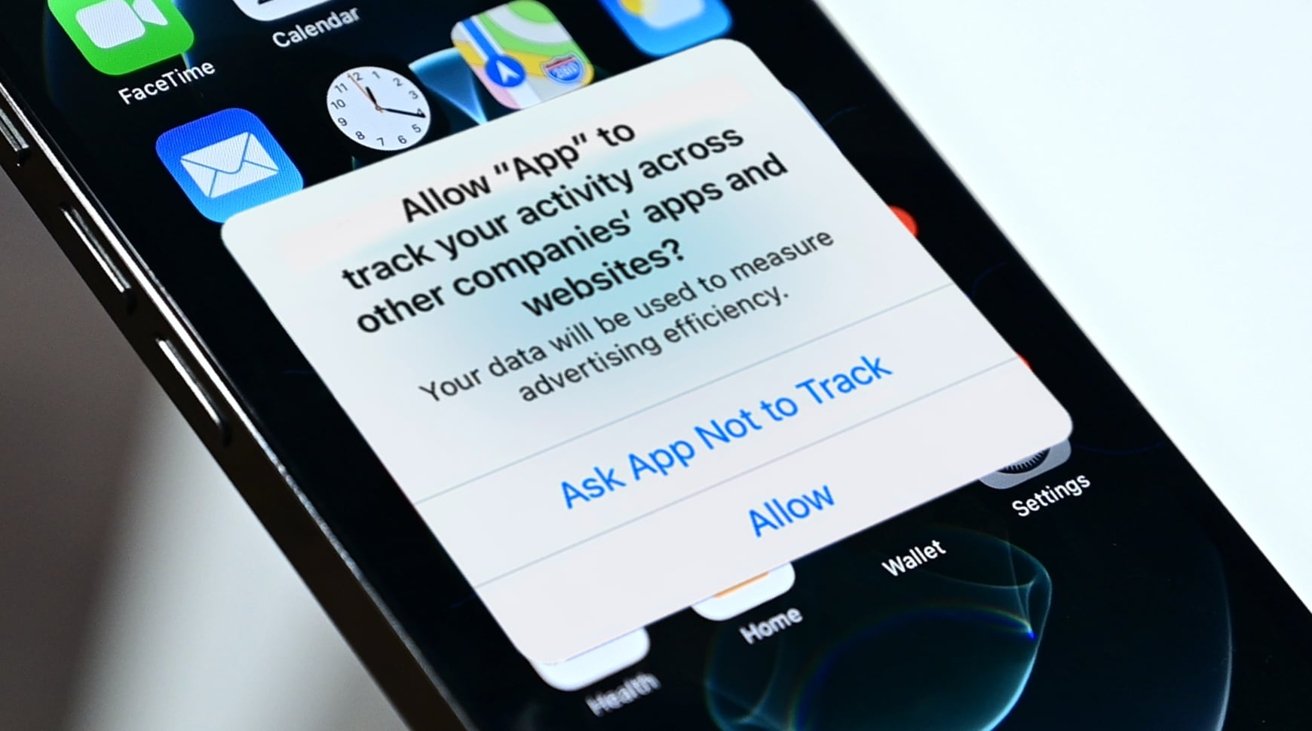

Many apps request permission to track your activity across apps and websites.
How to turn it off:
Settings → Privacy & Security → Tracking → Turn off Allow Apps to Request to Track
✔ Improves privacy
✔ Reduces background tracking
Hidden iPhone Setting #2: Background App Refresh for Social Apps
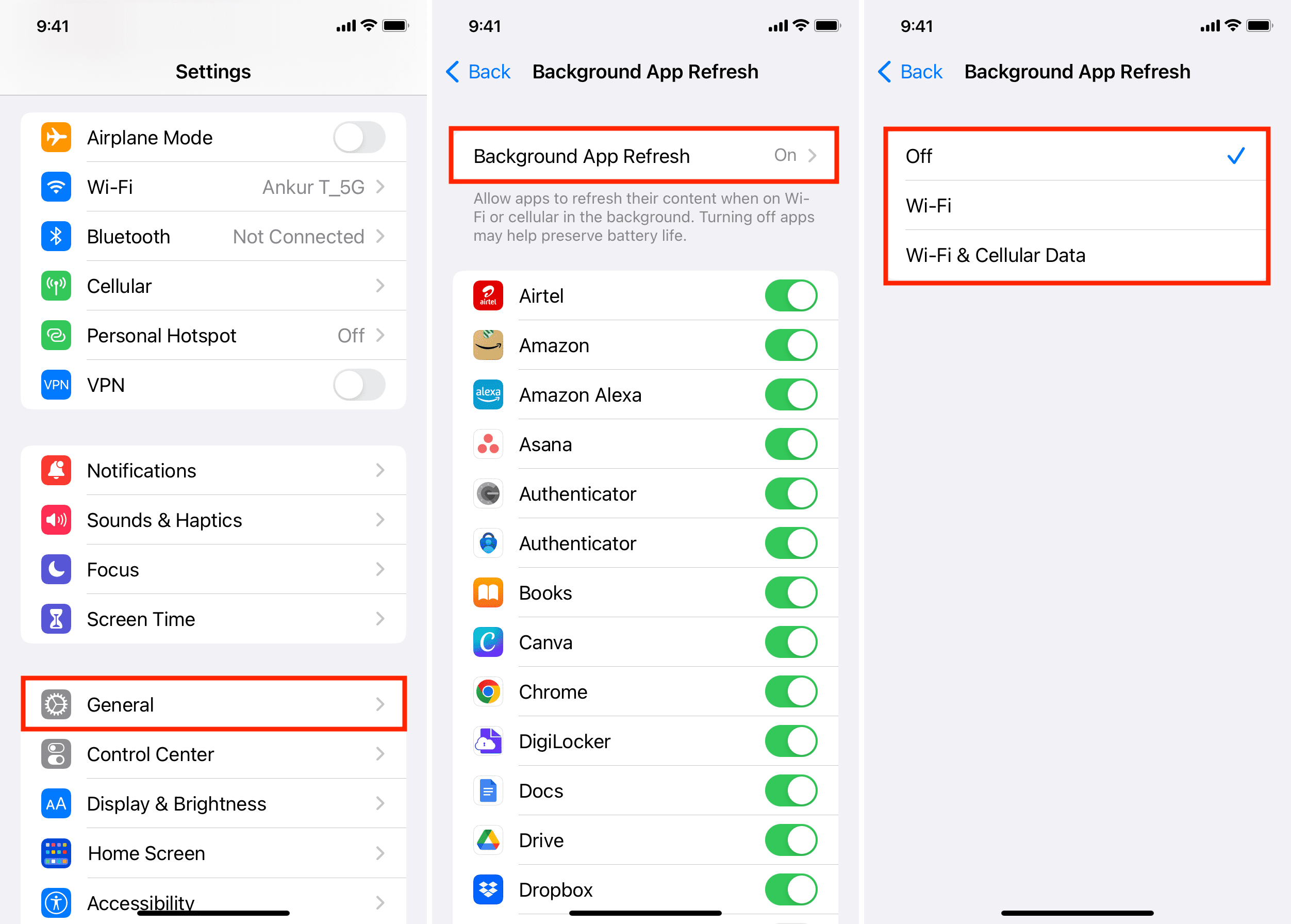
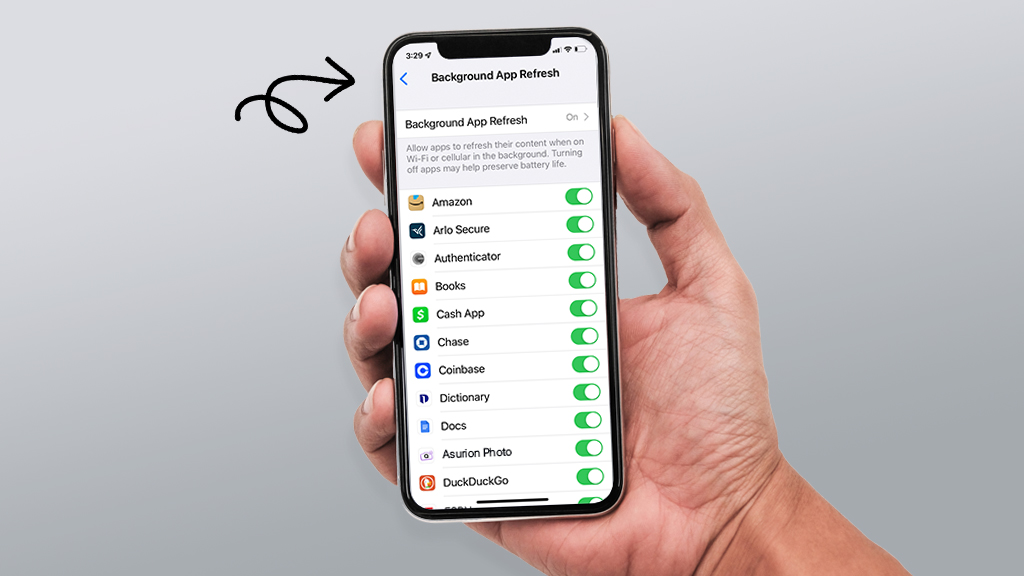
Social media apps refresh content even when you’re not using them.
How to manage:
Settings → General → Background App Refresh → Select apps → Off
✔ Saves battery
✔ Improves performance
Hidden iPhone Setting #3: Location Access Set to “Always”

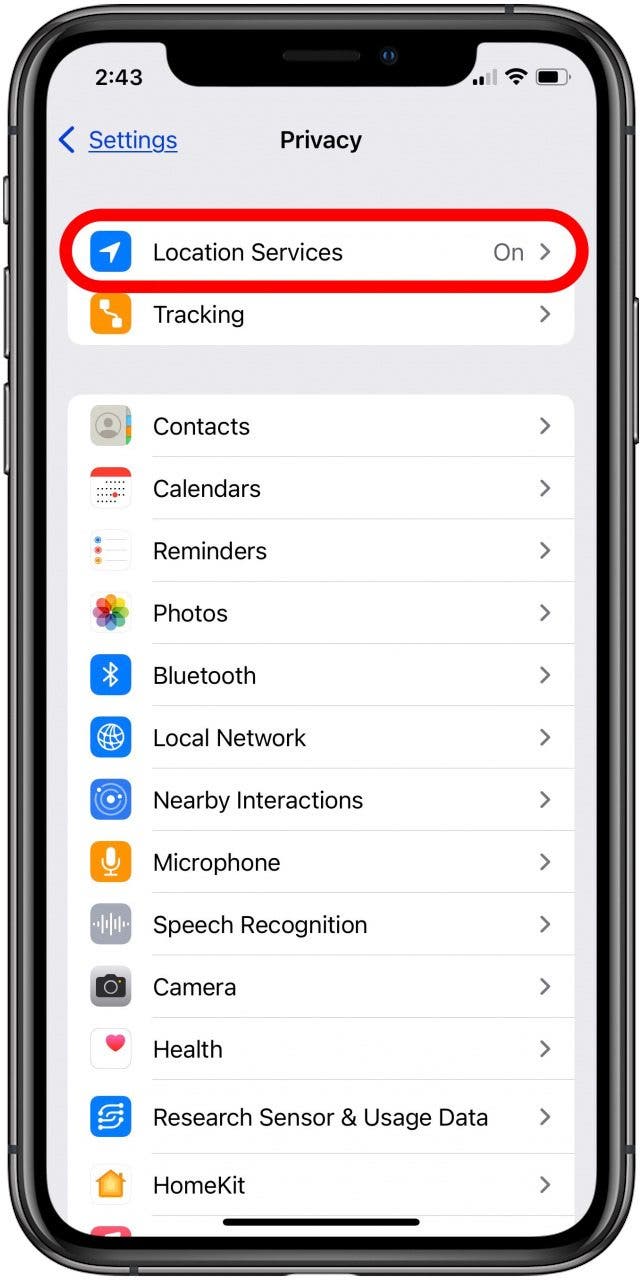
Apps don’t need 24/7 access to your location.
Fix it:
Settings → Privacy & Security → Location Services → App → While Using the App
✔ Reduces GPS drain
✔ Improves privacy
Hidden iPhone Setting #4: Siri & Dictation Data Sharing
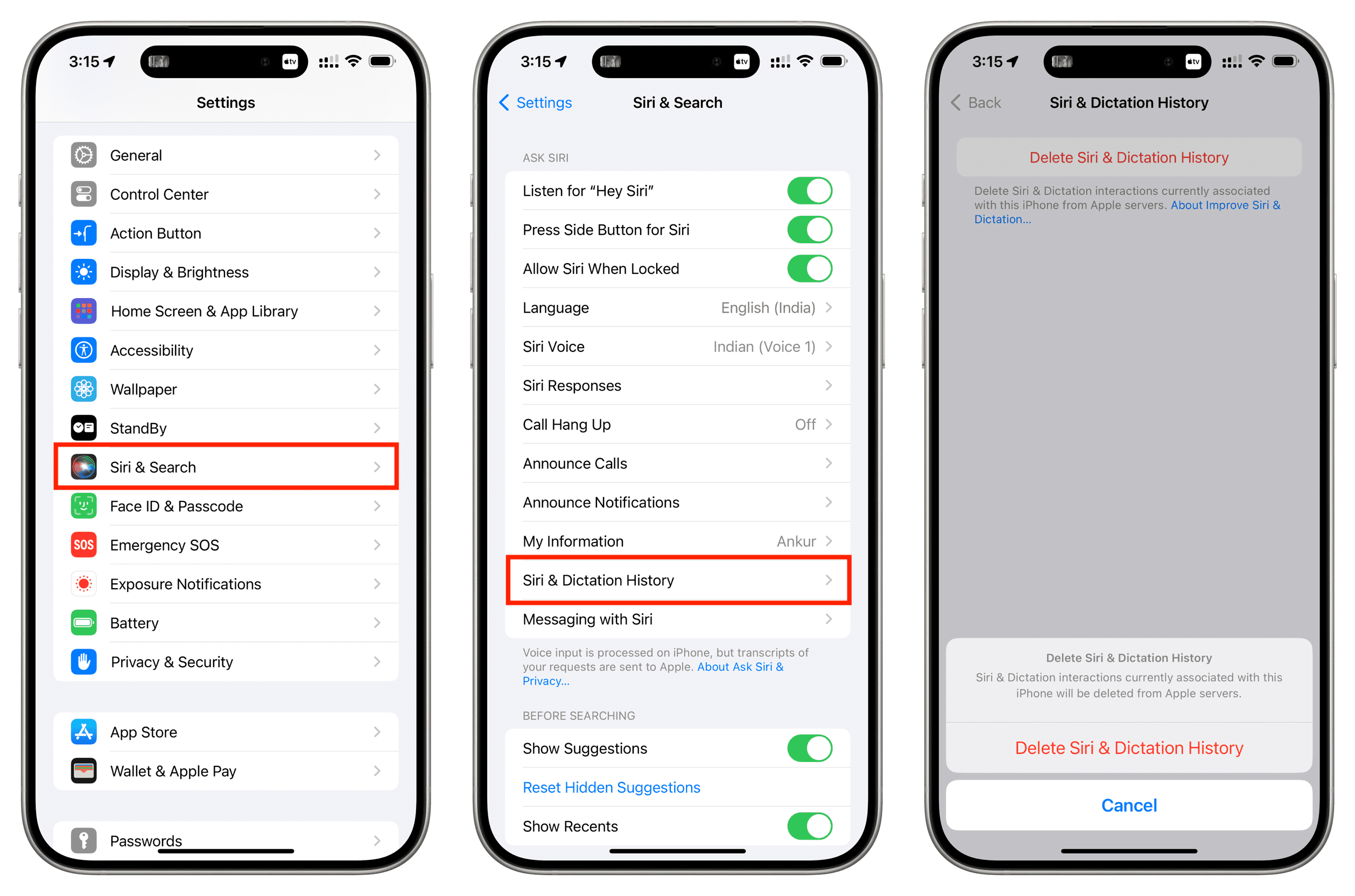
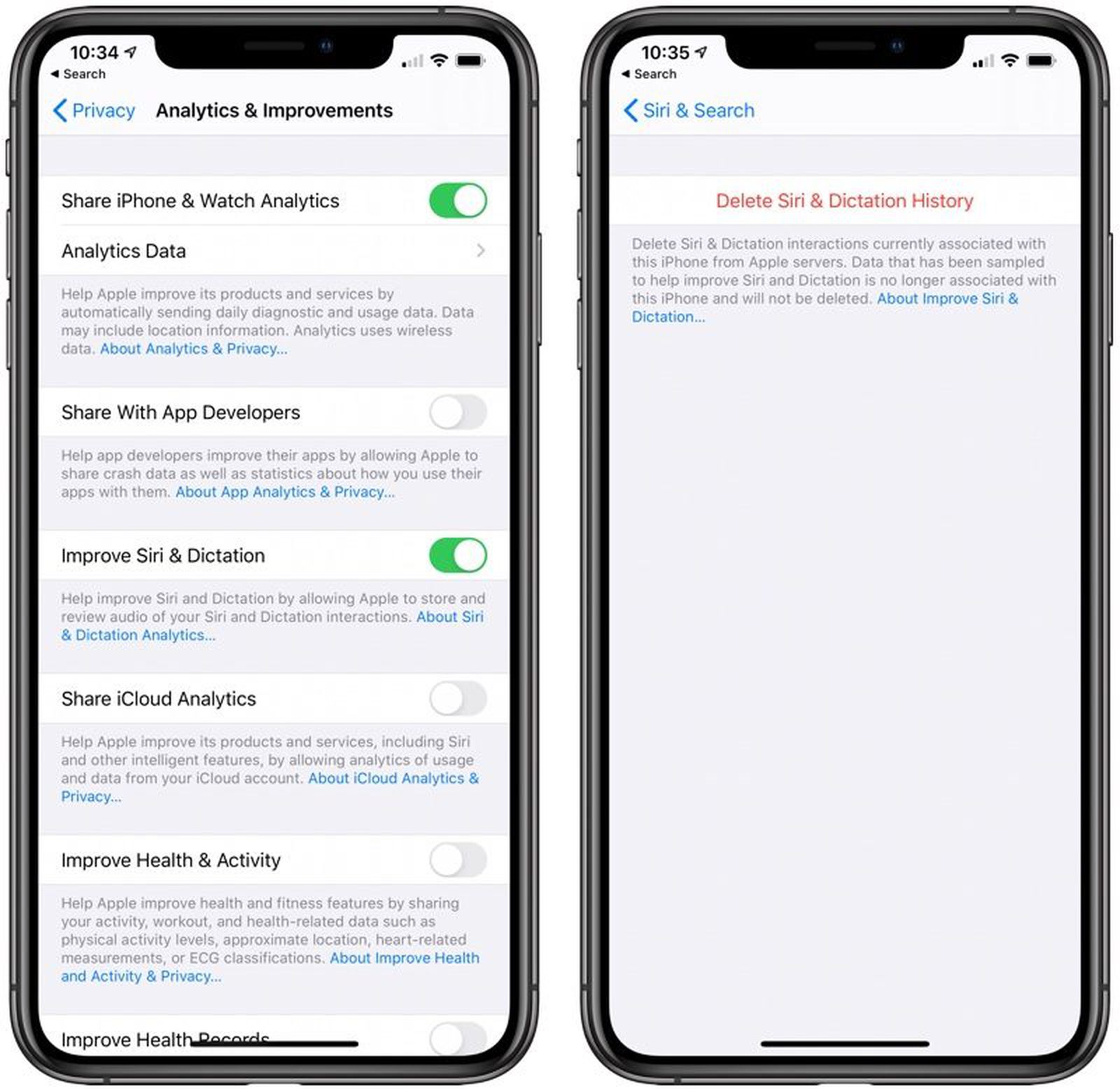
Siri interactions may be stored for analysis.
Turn it off:
Settings → Siri & Search → Siri & Dictation History → Delete
Disable Improve Siri & Dictation
✔ Better voice privacy
Hidden iPhone Setting #5: iPhone Analytics & Improvements

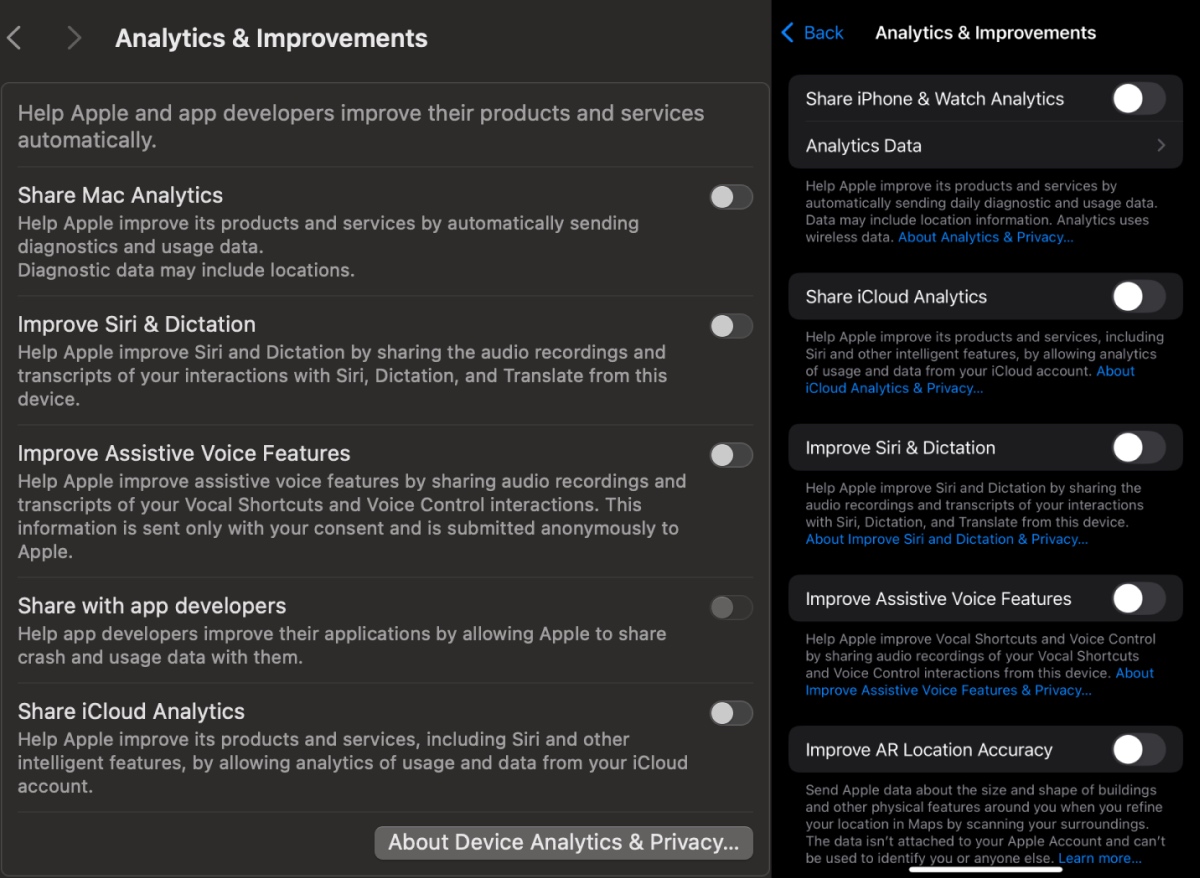
Your device automatically sends diagnostic data.
Disable it:
Settings → Privacy & Security → Analytics & Improvements → Turn off all options
Apple explains how iPhone privacy and data collection work in its official documentation:
👉 https://support.apple.com/en-sg/HT210584
Hidden iPhone Setting #6: AirDrop Receiving Always On

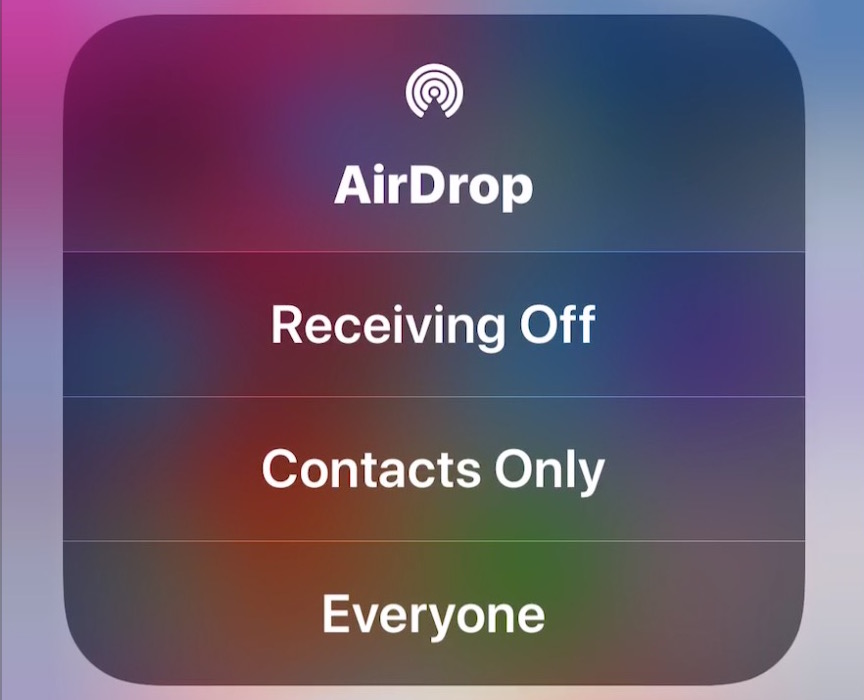
Leaving AirDrop on can expose your device in public.
Change it to:
Settings → General → AirDrop → Receiving Off or Contacts Only
✔ Improves security
Hidden iPhone Setting #7: Always-On Display

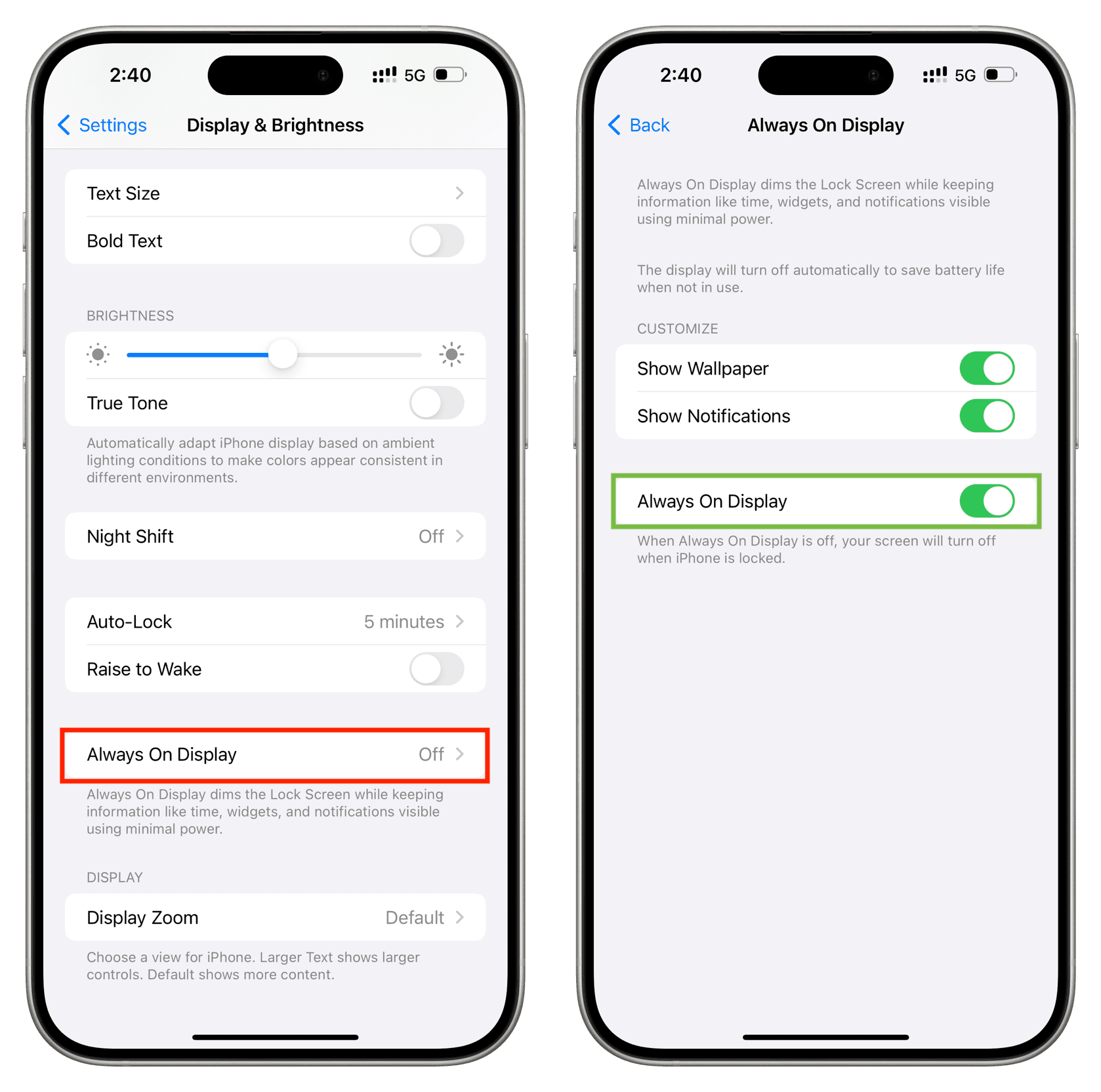
Always-On Display drains battery throughout the day.
Turn it off:
Settings → Display & Brightness → Always On → Off
✔ Instant battery savings
Hidden iPhone Setting #8: Live Voicemail AI Processing
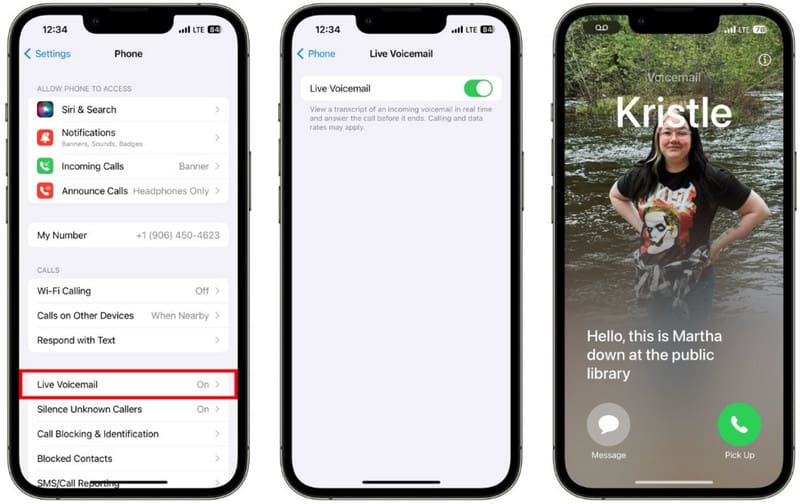
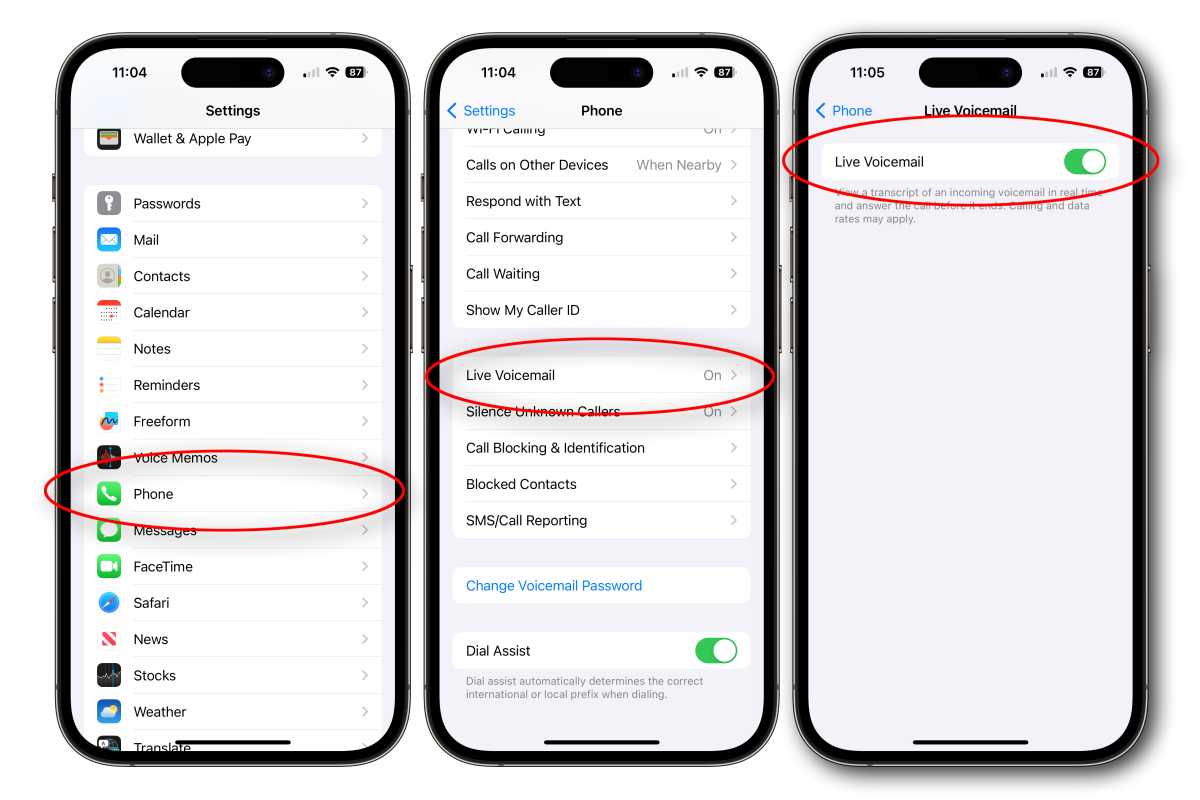
Live Voicemail uses AI in the background.
Disable it:
Settings → Phone → Live Voicemail → Off
✔ Reduces background processing
Hidden iPhone Setting #9: iCloud Sync for Unused Apps


Not every app needs cloud backup.
Manage it:
Settings → Apple ID → iCloud → Apps Using iCloud → Turn off unused apps
✔ Saves storage
✔ Reduces sync activity
Hidden iPhone Setting #10: Bluetooth When Not in Use


Bluetooth stays active even without accessories.
Turn it off:
Settings → Bluetooth → Off (when idle)
✔ Saves battery
✔ Reduces tracking risks
Hidden iPhone Setting #11: Personalized Apple Ads
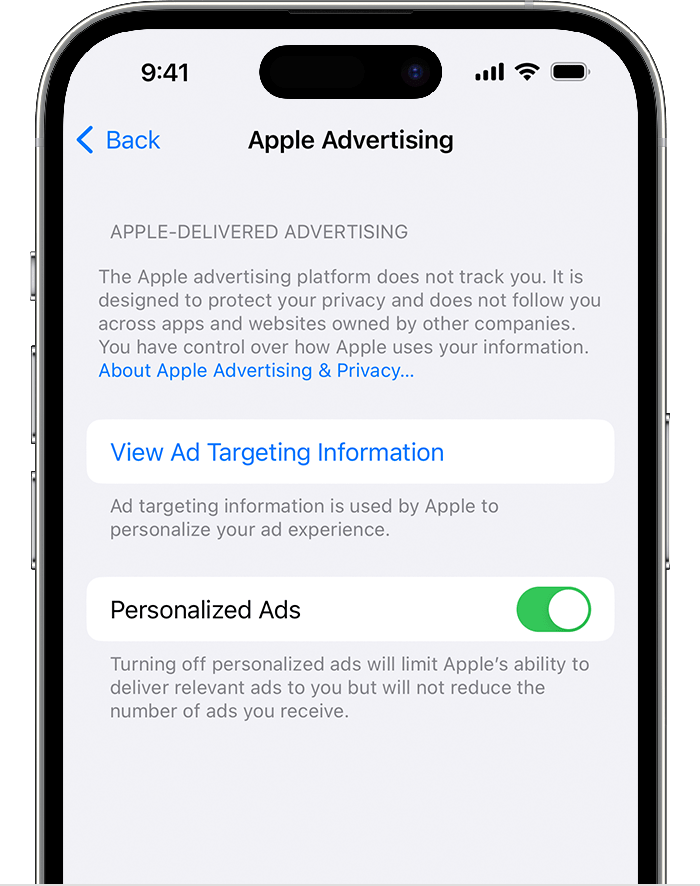
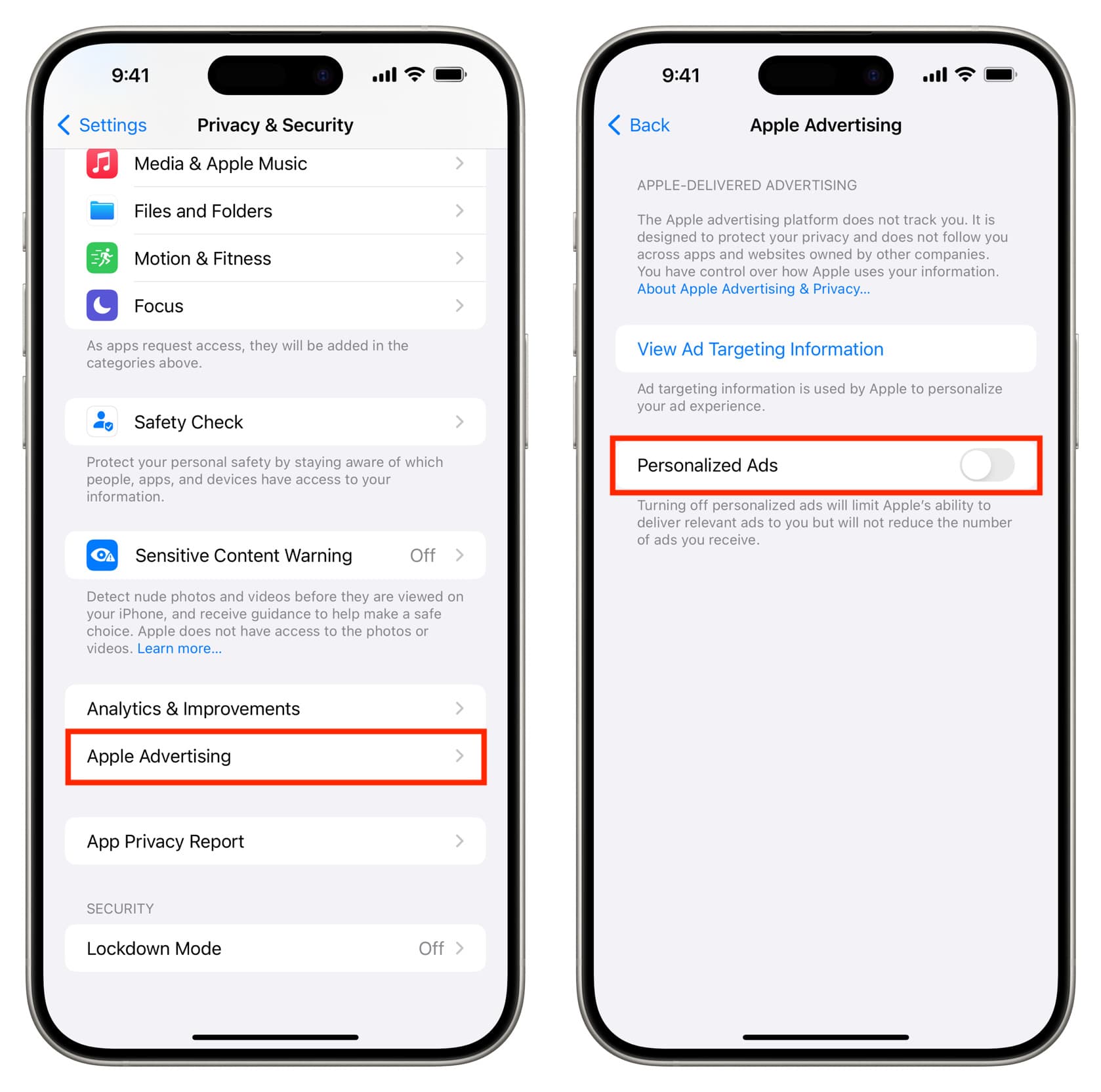
Apple still serves ads using limited usage data.
Disable it:
Settings → Privacy & Security → Apple Advertising → Turn off Personalized Ads
✔ Limits ad profiling
Why You Should Review Hidden iPhone Settings Regularly
Hidden iPhone settings can be re-enabled after iOS updates. Reviewing them every few months ensures better privacy and performance.
Related reads:
- Smart TV privacy guide:
👉 https://lifeintechmode.com/smart-tv-settings-parents-should-disable/ - AI & privacy insights:
👉 https://lifeintechmode.com/google-gemini-super-gems-ai-workflows/
Final Thoughts
Hidden iPhone settings aren’t harmful — but leaving them enabled without awareness can quietly affect your experience. Turning them off gives you more control, better battery life, and stronger privacy in 2026.