

With over 30 AI-powered tools now offered by Google, it’s easy to feel overwhelmed. Many professionals assume they must learn everything to benefit from AI — but that’s not true.
The real secret is this:
👉 Most working professionals and families only need a focused Google AI Toolkit to dramatically boost productivity.
By using the right tools — not all tools — you can realistically save 10+ hours every week, reduce subscription costs, and simplify daily digital work.
Before diving in, you may want to explore our AI TIPS resources on LifeInTechMode to understand how AI fits into a modern digital lifestyle.
Quick Overview: Google AI Toolkit at a Glance
| Tool | Best For | Estimated Time Saved |
|---|---|---|
| NotebookLM | Deep research & learning | 4+ hours/week |
| Gemini Deep Research | Reports & analysis | 5+ hours/week |
| Opal | Workflow automation | 2+ hours/week |
| Mixboard | Visual planning | 1–2 hours/week |
| Pamelli | Brand & social automation | 2+ hours/week |
1. The Research Companion: NotebookLM
NotebookLM is one of the most underrated tools in the Google AI Toolkit — and easily one of the most powerful.
Unlike generic chatbots, NotebookLM works only with your uploaded documents, making it a grounded research assistant rather than a guesswork engine.
Key Features
- Upload PDFs, Google Docs, slides, or notes
- Ask precise questions based only on your content
- Auto-generate summaries, study notes, and briefing documents
- Create structured FAQs from long research material
Audio Overview (Hidden Gem)
One standout feature converts your research into an AI-generated podcast with two virtual hosts discussing your content — perfect for learning on the go.
🔗 External Link: Google NotebookLM (official Google AI portal)
💡 Who should use it?
Students, analysts, bloggers, and professionals who read long documents regularly.
2. Next-Gen Content Creation: Nano Banana Pro
Google’s latest media models are quietly redefining AI-generated visuals.
Nano Banana Pro focuses on realistic image generation, reducing common AI issues like warped hands, unnatural faces, and visual noise.
Why It Matters
- High-quality images without heavy editing
- Better realism than earlier AI image tools
- Ideal for blogs, thumbnails, and social posts
Combined with Google’s newer VO 3.1 video model, creators can now:
- Generate cinematic videos
- Add native AI audio
- Create smooth, realistic motion
📌 Pro Tip: These tools work best when paired with a modern laptop. Check our latest gadget reviews on LifeInTechMode to choose AI-ready hardware.
3. The Ultimate Knowledge Engine: Gemini & Deep Research
Gemini is the core engine behind Google’s AI ecosystem.
What truly separates Gemini from competitors is its massive context window.
Why Gemini Is Different
- 2 million token memory — analyze massive documents in one go
- Handle long videos, datasets, and large codebases
- Works across text, images, tables, and PDFs
Gemini Deep Research
This feature turns Gemini into an autonomous research agent:
- Collects information from multiple sources
- Writes structured, cited reports
- Saves hours of manual research
🔗 External Link: Gemini AI (official Google platform)
🎯 Best Use Cases
- Business analysis
- Market research
- Academic writing
- Technical documentation
4. Visual & Workflow Automation: Mixboard & Opal

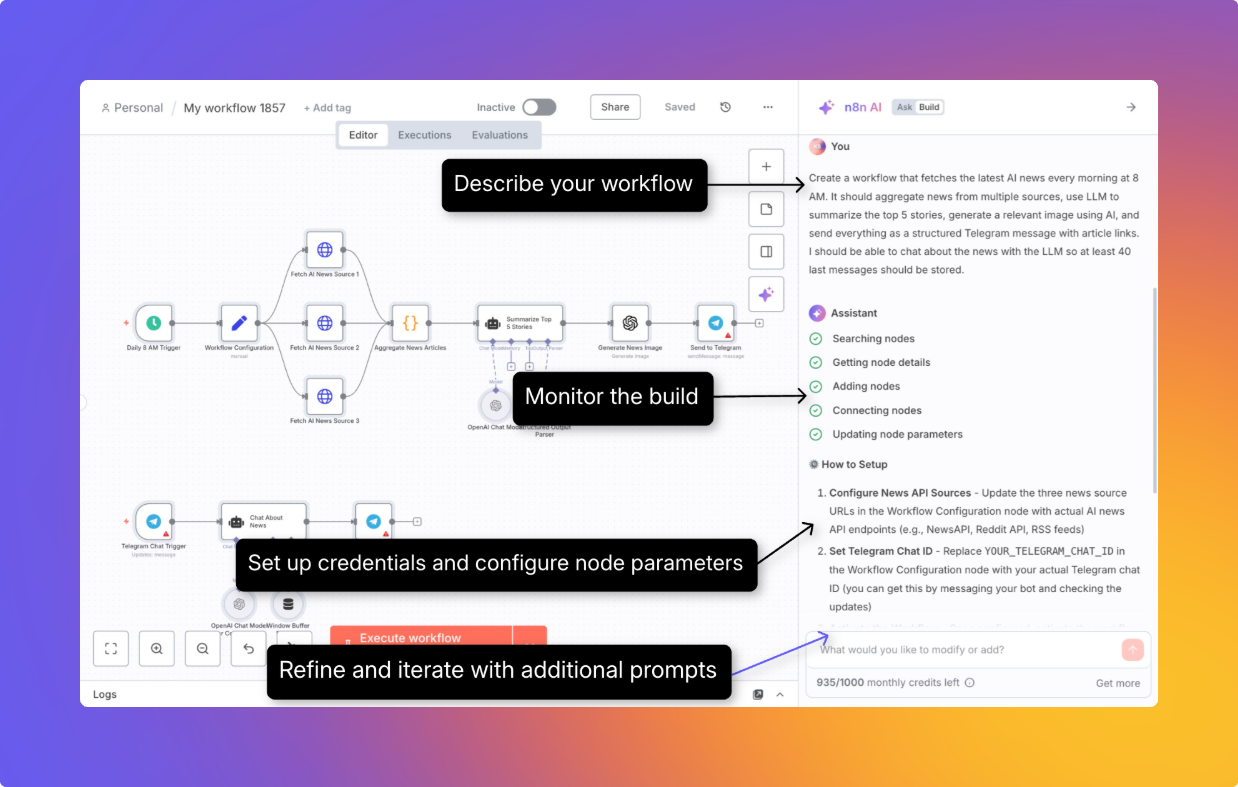
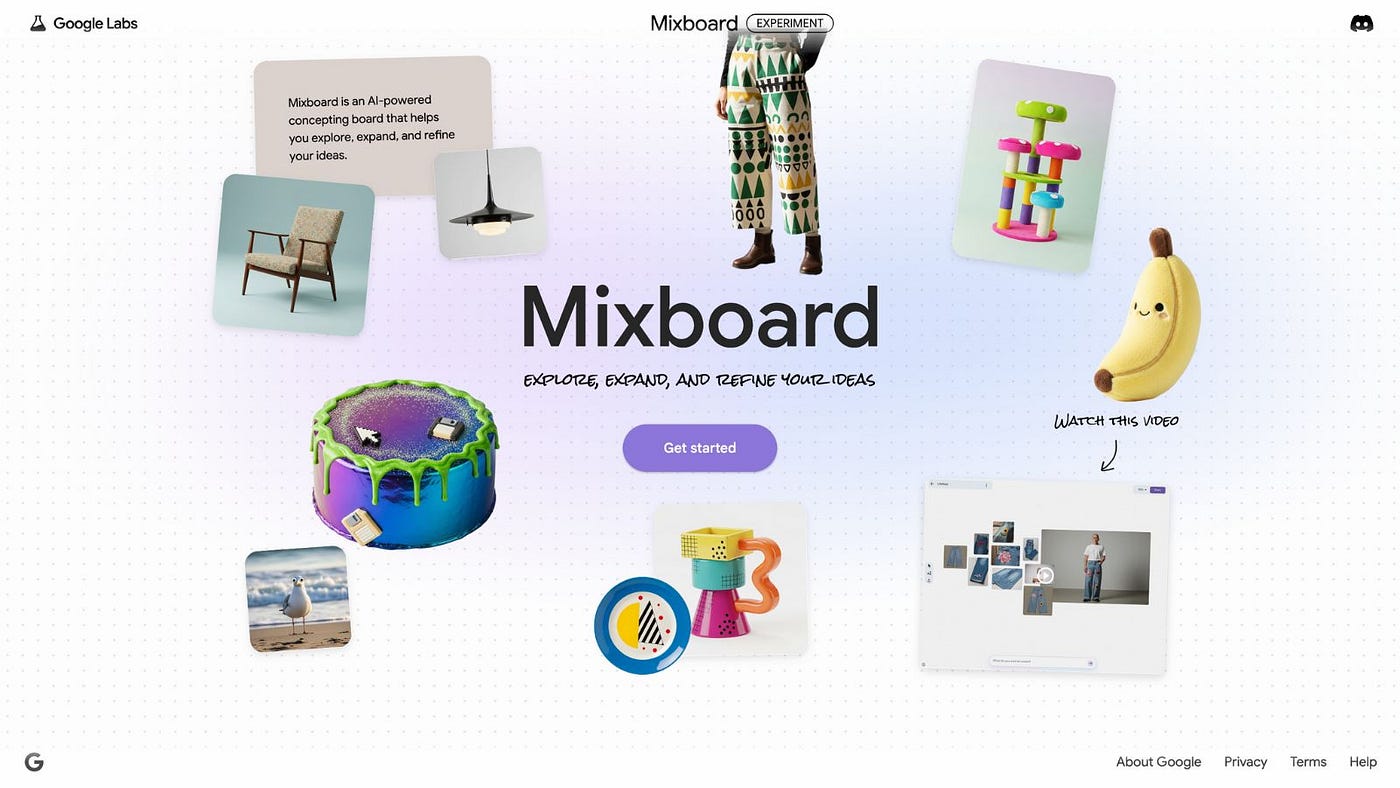
These tools quietly remove repetitive admin work — often without users realizing how much time they save.
Mixboard
- Organize ideas visually
- Auto-detect color palettes
- Create AI-assisted mood boards
Perfect for designers, marketers, and content planners.
Opal
Opal is Google’s answer to no-code automation.
You can:
- Build workflow apps using plain English
- Automate data collection
- Reduce repetitive form-based tasks
🔗 External Link: Google Workspace Blog (automation updates)
💼 Ideal For
Operations teams, HR, analysts, and solopreneurs.
5. Brand Automation: Pamelli
If social media feels like a time drain, Pamelli might surprise you.
Pamelli:
- Scans your website
- Understands your brand tone
- Auto-generates social media posts
- Maintains visual and writing consistency
This is especially useful for solo bloggers and small businesses who struggle to maintain posting frequency.
Maximize Your Value: Smart AI Budgeting
Using the Google AI Toolkit strategically can also reduce monthly expenses.
Subscription Consolidation
With the Google One AI Premium Plan, many users can cancel:
- Standalone AI writing tools
- Separate research subscriptions
- Third-party image generators
💰 Estimated Savings: $20–$50 per month
Final Takeaway
You don’t need every Google AI tool.
You only need:
- NotebookLM for grounded research
- Gemini for deep knowledge work
- Opal for automation
Master these three, and you’ll reclaim 10+ hours every week — without overwhelm.