
By Life in Tech Mode Team | January 15, 2026
If you read our last post on [Link to: Best Smart Home Gadgets CES 2026], you know that robots are finally helping with the physical chores. But what about the mental ones?
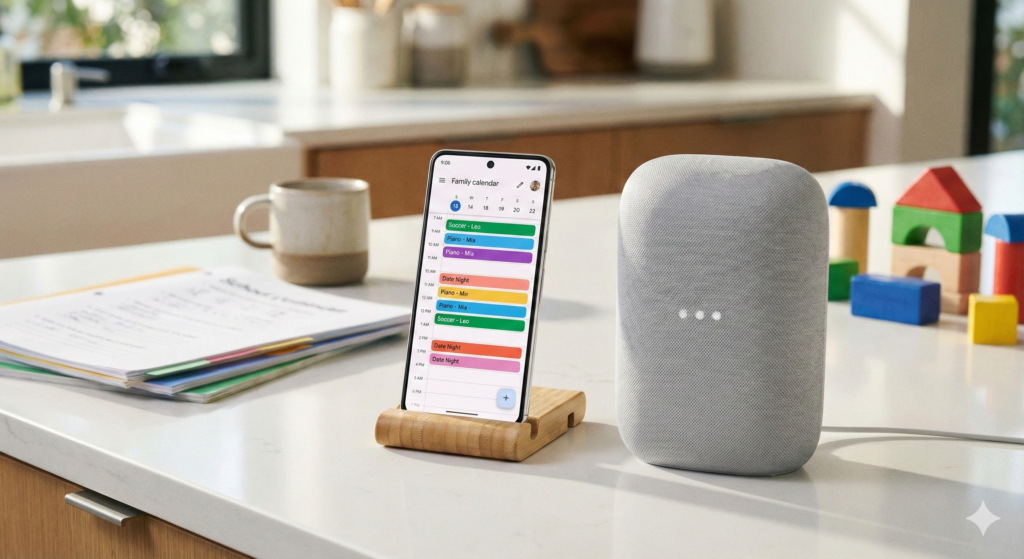
The “Mental Load”—remembering birthdays, tracking school emails, and coordinating dentist appointments—is often harder than the cleaning itself. In 2026, a new wave of “Agentic AI” apps has arrived to solve this. Unlike the old calendar apps where you had to type everything in manually, these new tools act like a “Chief of Staff,” reading your emails and managing your time automatically.
If you are looking for the best AI family organizer apps 2026 has to offer, we have tested the top contenders to see which ones actually save you time.
1. Familymind: The “Chat-Based” Assistant
If you are tired of complex dashboards, Familymind is the breakthrough app of early 2026. It positions itself as an “All-in-One Family AI Assistant” that handles everything from meals to chores.
The Problem: You remember tasks while driving or cooking, but forget them by the time you find your phone. The Solution: You simply talk to Familymind like a person. “Hey, reschedule Leo’s swimming to Tuesday and remind me to buy goggles.” The AI updates the shared calendar, notifies your spouse, and adds goggles to your grocery list instantly.
Why It Wins: It resolves conflicts automatically. If you try to book a date night when you already have a parent-teacher conference, it warns you immediately. It’s easily one of the best AI family organizer apps 2026 produced for parents who prefer voice over typing.
Quick Specs:
- Best For: Voice-first users & busy parents.
- Platform: iOS, Android.
- Key Feature: “Chore Assistant” to assign tasks to kids.
Pros:
- Import your existing calendar in 60 seconds.
- Natural language voice commands work perfectly while driving.
- Fairness algorithms ensure chores are split evenly.
Cons:
- Requires a subscription for full AI features.
- Chat interface can take getting used to if you prefer visual grids.
2. Sense: The Email Wrangler
Sense bills itself as “the calendar that runs itself,” and for parents drowning in school newsletters, it is a miracle.
The Problem: Your child’s soccer schedule is sent via a blurry PDF in an email, and you have to manually type every practice date into Google Calendar. The Solution: You simply forward the email (or screenshot) to Sense. The AI extracts every date, time, and location, and populates your family calendar automatically.
Real World Use: Forwarding a “School Year 2026 Schedule” PDF and having all holidays, half-days, and teacher conferences appear on your phone in seconds.
Quick Specs:
- Best For: Parents with kids in sports or multiple activities.
- Platform: iOS (Widgets supported), Android.
- New 2026 Feature: Medication Tracking & Safety Timers.
Pros:
- Magical email-to-calendar parsing.
- New “Medication Tracker” helps manage prescriptions.
- Beautiful home screen widgets keep the schedule visible.
Cons:
- Android version sometimes lags behind iOS updates.
- External calendar sync is powerful but can be tricky to set up initially.
3. Reclaim.ai: The Work-Life Balancer
While originally for business, Reclaim.ai has become a secret weapon for working parents in 2026, helping them defend their personal time against corporate demands.
The Problem: Your work calendar and your personal calendar don’t talk to each other, leading to double bookings. The Solution: Reclaim sits between your work Outlook and your personal Google Calendar. It intelligently blocks off “Personal Commitments” on your work calendar (so your boss sees you are busy, but not why) and ensures you never schedule a Zoom call during school pickup.
Why It’s a Top Pick: It is one of the best AI family organizer apps 2026 offers because of its “Decompression Time” feature. It automatically schedules 15-minute buffers between meetings so you aren’t rushing from a conference call to the school gate.
Quick Specs:
- Best For: The “Chief Household Officer” who also works full-time.
- Cost: Free tier available; Pro starts ~$10/mo.
- Integrations: Slack, Zoom, Google Tasks.
Pros:
- Automatically defends “Family Time” on your work calendar.
- Syncs status to Slack (e.g., “In a Personal Appointment”).
- “Smart Habits” ensure you make time for lunch or gym.
Cons:
- Learning curve is steeper than simple family apps.
- Requires you to use a digital calendar (Google/Outlook) religiously.
4. Jam: The “Shared Brain” for Families
Jam focuses on the invisible labor of parenting—specifically the lists, carpools, and “micro-tasks” that clog up your brain.
The Problem: “Who is driving on Thursday?” “Did we pay the piano teacher?” The Solution: Jam combines an AI calendar with shared “to-do” lists. Its standout feature for 2026 is the “Who’s Driving” tag, which lets you assign drivers to specific events so no kid is ever left stranded.
Why We Love It: Like Sense, Jam also features an email forwarding system (“Jam On It”) where you can send party invites directly to the app to auto-populate the calendar.
Quick Specs:
- Best For: Carpooling families and co-parenting.
- Platform: iOS, Android, Web.
- Key Feature: “Caregiver Access” for nannies or grandparents.
Pros:
- Dedicated “Who’s Driving” feature is unique and essential.
- Caregiver permissions allow nannies to see the schedule without seeing everything.
- Shared shopping lists for groceries.
Cons:
- Free trial is only 30 days before subscription kicks in.
- Interface can feel “busy” with so many lists.
5. Morgen: The Visual Planner
For those who think visually, Morgen has risen in the rankings of the best AI family organizer apps 2026 by turning tasks into drag-and-drop time blocks.
The Problem: You have a to-do list of 20 items and only 2 hours of free time. The Solution: Morgen integrates with your to-do apps (like Todoist or Notion) and asks you to drag tasks directly onto your calendar. If they don’t fit, its AI suggests the best times later in the week to reschedule them.
Quick Specs:
- Best For: Visual thinkers and desktop users.
- Platform: Windows, Mac, Linux, iOS, Android.
- Integrations: Notion, Todoist, Google Calendar.
Pros:
- Beautiful unified view of tasks + calendar.
- Works seamlessly on desktop (great for planning the week on Sunday night).
- Includes travel time calculations automatically.
Cons:
- Mobile app is a companion; the desktop app is where the power lies.
- No “Family Chat” features like Familymind.
Buying Guide: Which AI Organizer is Right for You?
Choosing among the best AI family organizer apps 2026 depends on your specific “chaos factor.” Here is our quick decision matrix.
1. For the “Email Overloaded” Parent
Choose Sense. The ability to forward emails and have them magically appear on your calendar is worth the subscription alone. It removes the friction of data entry.
2. For the “Hands-Full” Parent
Choose Familymind. Being able to shout “Add diapers to the list” while changing a baby—and have it actually happen—is a game changer.
3. For the Working Professional
Choose Reclaim.ai. It is the only one that truly protects your family time from your work demands by blocking off your calendar automatically.
(Internal Link: Read our guide on [Link to: Tips for Digital Wellness])
Final Thoughts
The goal of using these best AI family organizer apps 2026 isn’t to squeeze more into your day—it’s to spend less time managing it. By offloading the scheduling logic to software, you can get back to actually enjoying the time you saved.
Which of these apps sounds like the biggest lifesaver for your home? Let us know in the comments!