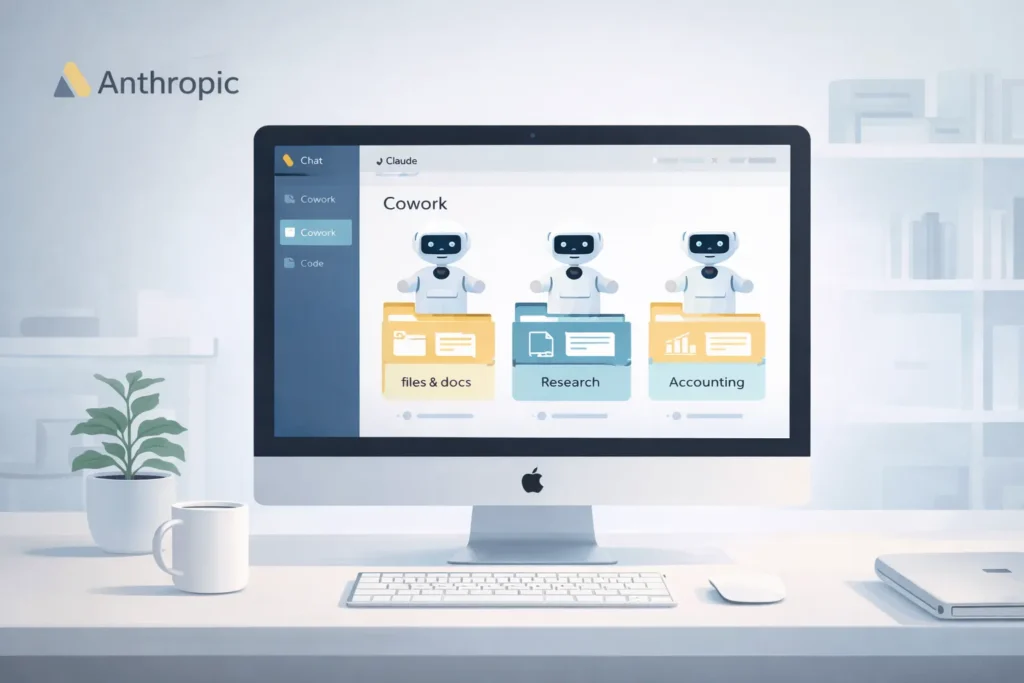

Claude Cowork guide readers are discovering that 2026 marks a major shift in how artificial intelligence is used in small businesses. When Anthropic introduced Claude Cowork, AI stopped behaving like a chatbot and started acting like a real AI employee—one that can execute work directly instead of just suggesting ideas.
For founders, freelancers, and small teams, this change is not disruptive in a negative way. It’s an opportunity to automate repetitive operations without hiring staff or learning complex automation tools.
This Claude Cowork guide explains how to safely turn agentic AI into a practical business assistant.
Why Claude Cowork Is Different From Traditional AI Tools
Most AI tools operate in a request–response loop. You ask a question, get an answer, then repeat.
Claude Cowork works differently.
With Claude Cowork, you can:
- Delegate multi-step tasks
- Allow AI to work inside approved folders
- Automate real file operations
- Get completed outputs instead of suggestions
This shift from conversation to execution is what makes agentic AI so powerful for everyday business use.
1. Requirements and Setup
Before using Claude Cowork, ensure your setup meets the current requirements.
Platform Requirements
- Claude Desktop app for macOS
- Claude Cowork does not run in browsers or on mobile devices
Subscription Requirements
- Paid Claude plans only (Pro, Team, or Max)
- Free plans do not support Cowork sessions
Folder Permissions
Claude Cowork only works in folders you explicitly allow.
- You choose where it can read and write
- System-wide access is never automatic
Best practice: Create a dedicated work folder for each project to maintain control and security.
2. Three Steps to Your First Automation
This Claude Cowork guide follows a simple workflow that works for beginners and professionals alike.
Step 1: Install and Open Claude Desktop
Download Claude Desktop from Anthropic’s official website and sign in with your paid account.
Once logged in, you’ll see a “Cowork” tab alongside Chat and Code.
Step 2: Select a Work Folder
Enable “Work in a folder” and choose a specific directory, such as:
/Invoices-2026/Client-Reports/Research-Notes
Avoid selecting your entire hard drive. Claude Cowork performs best when focused on a single task area.
Step 3: Delegate the Outcome
This is where most users make a mindset shift.
Instead of giving step-by-step instructions, describe the final result you want.
Example task prompt:
“Organize all receipts in this folder into subfolders by vendor. Create an Excel file named
Expense-Report-Feb.xlsxwith Date, Vendor, and Total columns. Flag duplicates for review.”
Claude Cowork will analyze the files, plan the workflow, and execute the task autonomously.
3. High-Value Claude Cowork Use Cases for Small Businesses
Here are practical ways businesses are using Claude Cowork today.
Administrative File Organization
Claude Cowork can:
- Read file contents, not just filenames
- Sort documents into logical folders
- Rename files consistently
- Remove duplicates
This is especially useful for founders overwhelmed by cluttered downloads and invoices.
Research and Knowledge Synthesis
Drop multiple PDFs or reports into a folder and ask Claude Cowork to:
- Read all documents
- Identify patterns and gaps
- Generate a structured summary
- Export findings in Markdown or Word format
This saves hours of manual research work.
Data Cleanup and Reporting
Claude Cowork can clean messy CSV exports by:
- Identifying missing or invalid data
- Highlighting outliers
- Creating readable summaries for meetings
It turns raw data into decision-ready insights.
4. Security and Usage Best Practices
Because Claude Cowork can edit files, safe usage is critical.
Work on Copies First
Always duplicate important files before running Cowork tasks until you trust the workflow.
Review the Execution Plan
Claude Cowork often shows a plan before acting. Read it carefully to confirm:
- Correct folders
- Expected outputs
- No unintended file deletions
Manage Usage Limits
Cowork sessions consume more tokens than chat sessions.
- Usage resets every 5 hours
- Batch complex tasks together
- Avoid unnecessary reruns
Learn More About Claude Cowork
Claude Cowork is part of Anthropic’s broader effort to build safe, enterprise-grade agentic AI systems.
You can explore more directly on Anthropic’s official site:
https://www.anthropic.com/
More details about Claude’s capabilities are available here:
https://www.anthropic.com/claude
Explore More on LifeInTechMode
For more practical guides on using AI in everyday work and life, visit:
https://lifeintechmode.com/category/ai-tips/
https://lifeintechmode.com/category/smart-living/
Summary: What This Claude Cowork Guide Really Teaches
The real lesson of this Claude Cowork guide isn’t technical—it’s strategic.
Success with agentic AI comes from learning how to delegate, not how to prompt endlessly. By shifting from conversation to execution, small businesses can reclaim time, reduce manual effort, and focus on higher-value decisions.
Claude Cowork doesn’t replace people. It replaces busywork.
Those who adopt this mindset early will gain the biggest advantage as agentic AI becomes the norm.