


Creating a website used to take hours, sometimes days. But in 2026, things have changed completely. I decided to test whether it’s really possible to create a website with AI in just one minute, and the results honestly surprised me.
No coding.
No design skills.
No complicated setup.
Here’s exactly how it worked, step by step.
Why Creating a Website With AI Is Suddenly So Easy
AI website builders now handle everything that used to slow people down — layout, structure, text, and design. Instead of manually building pages, you simply describe what you want, and AI generates the site instantly.
This makes it possible for:
- Beginners launching their first site
- Creators testing new ideas
- Freelancers building quick landing pages
- Businesses validating concepts fast
If you’ve ever delayed starting because websites felt “too technical,” AI removes that barrier completely.
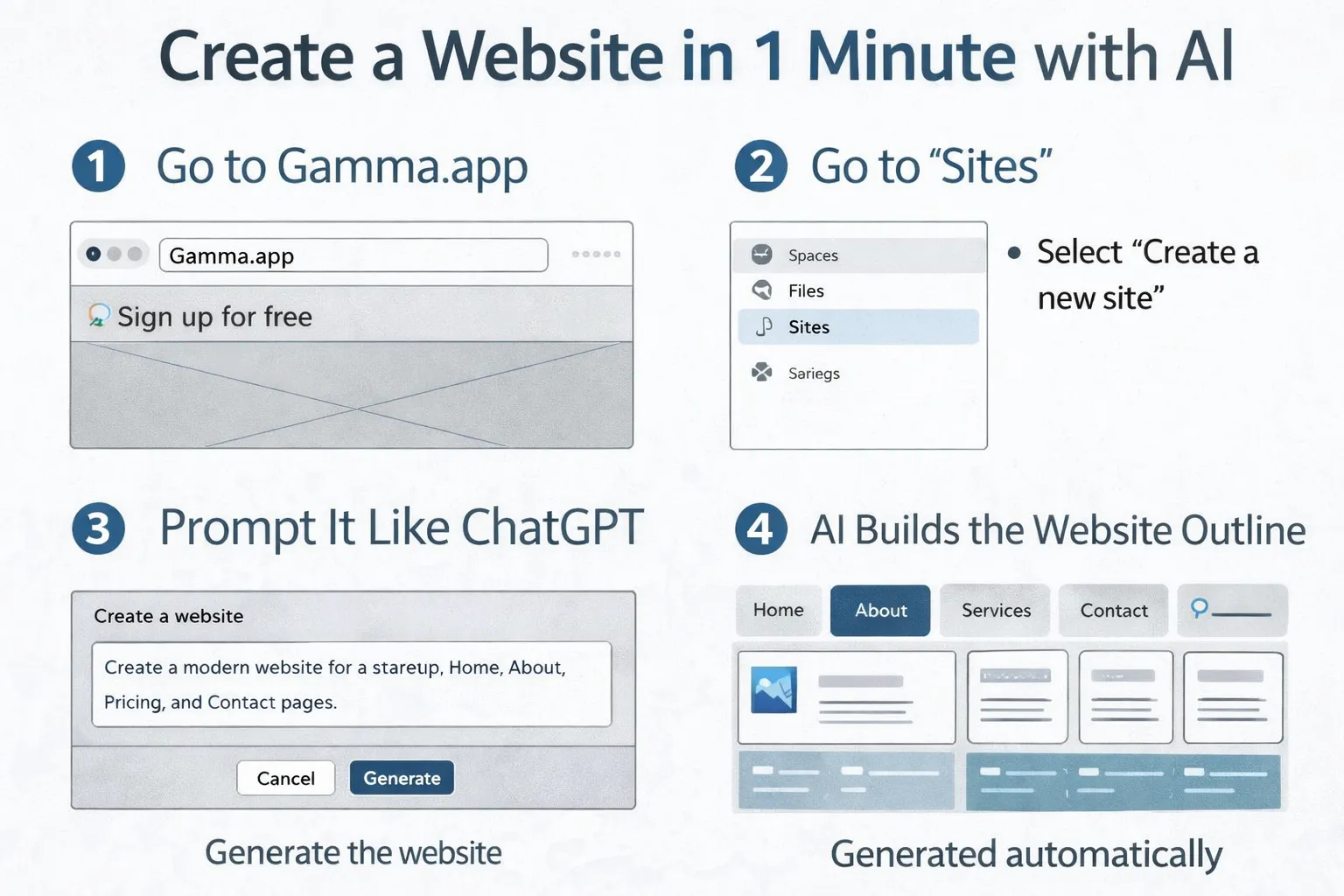
Step 1: Go to Gamma.app
To create a website with AI, I started by visiting https://gamma.app.
Gamma is an AI-powered platform that can generate websites, presentations, and documents from a simple prompt. Signing up takes less than a minute, and there’s a free plan to get started.
Once logged in, everything happens inside a clean, beginner-friendly dashboard.
Step 2: Navigate to “Sites”
Inside Gamma:
- Open the left-hand menu
- Click on “Sites”
- Select “Create a new site”
This activates Gamma’s AI website creation mode.
At this point, you’re only a prompt away from a finished website.
Step 3: Prompt It Like ChatGPT
This is where the magic happens.
Instead of designing manually, you simply type a prompt like:
Create a modern website for a personal brand focused on AI tools and productivity.
You can be more specific if you want:
- Business website
- Event landing page
- Portfolio
- Blog homepage
The clearer your prompt, the better the AI-generated result.
Step 4: AI Builds the Website Outline
Within seconds, Gamma:
- Creates a structured website layout
- Generates headings and sections
- Suggests visuals and content blocks
This step alone replaces hours of planning and wireframing. You’re no longer starting from a blank page — you’re refining something that already exists.
Step 5: Choose a Theme
Next, Gamma automatically suggests themes that match your content.
You can:
- Pick a clean, minimal look
- Choose bold colors
- Match your brand style
The themes are responsive, meaning your website already looks good on desktop and mobile without extra work.
Step 6: Edit the First Draft (Optional)
Even though the website is already usable, you can still customize it.
You’re able to:
- Edit text and headlines
- Change images
- Adjust colors and layouts
- Add buttons or links
You can also ask AI to rewrite or improve sections instantly — just like ChatGPT.
Step 7: Publish Your Website
Once you’re happy with the result:
- Click “Publish”
- Your website goes live instantly
- You receive a shareable link
From opening the site to publishing, the entire process took about one minute.
Tools That Help You Create a Website With AI
While Gamma is one of the fastest options, other AI tools can also help you create a website with AI:
- Gamma – https://gamma.app
- Wix AI – https://www.wix.com/ai
- Framer AI – https://www.framer.com/ai
Each tool focuses on simplicity, speed, and automation.
Who Should Create a Website With AI?
Creating a website with AI is ideal if you:
- Want fast results
- Don’t want to code
- Need a quick online presence
- Are testing ideas before investing more time
It’s not about replacing developers — it’s about removing friction for people who just want to get started.
Final Thoughts
To create a website with AI in one minute is no longer hype. It’s practical, accessible, and incredibly useful for beginners and professionals alike.
If you’ve been waiting for the “perfect time” to launch something online, AI website builders remove every excuse.
For more simple AI tools and smart tech guides, visit:
👉 https://www.lifeintechmode.com