
If you’re tired of typing the same AI prompts over and over again, you’re not alone.
“Rewrite this email professionally.”
“Summarize this in bullet points.”
“Turn this into a LinkedIn post.”
In 2026, repeating prompts is optional.
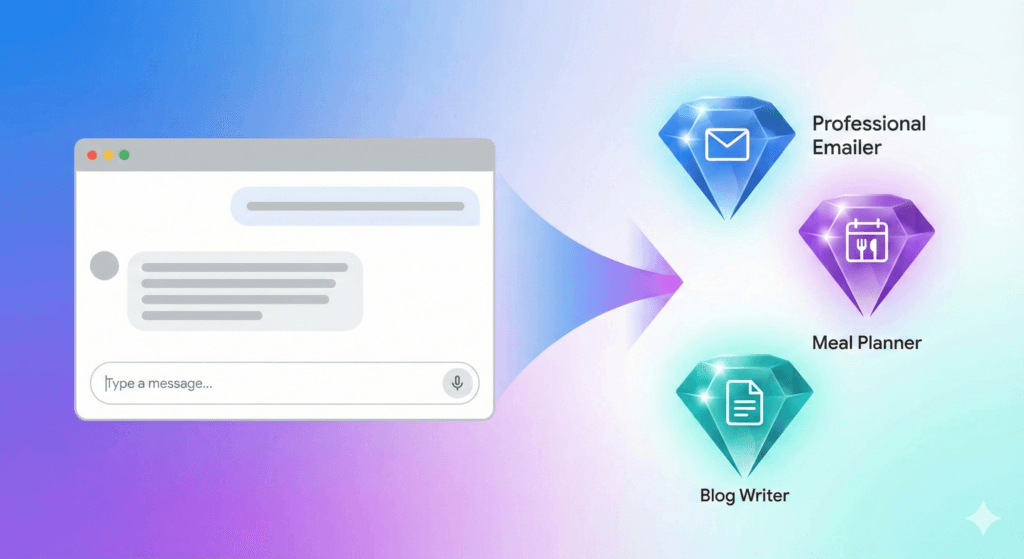
Google Super Gems transform Google Gemini from a simple chatbot into a reusable AI workflow system. Instead of re-explaining your preferences every time, you train it once — and it remembers.
In this guide, you’ll learn:
- What Google Super Gems are
- How they work inside Gemini Advanced
- How to build your first Gem in under 5 minutes
- Whether they’re worth it in 2026
According to Google’s official Gemini page, Google Super Gems are designed to create reusable AI workflows inside Gemini Advanced.
What Are Google Super Gems? (Simple Definition)
Google Super Gems are customizable AI mini-apps inside Gemini that remember your instructions, tone, and rules — so you don’t have to repeat them every time.
Unlike standard chat sessions that reset when closed, Super Gems store your workflow permanently. Think of them as pre-trained assistants built for specific tasks.
If you’ve asked:
- “How do I stop repeating prompts in Gemini?”
- “Can Gemini remember my writing style?”
- “What are Gems in Google AI?”
This is the feature you’re looking for.
How Google Super Gems Work
Standard Gemini vs Super Gems
Here’s the easiest way to understand it:
- Standard Gemini Chat = Hiring a freelancer for one task. You explain everything from scratch.
- Super Gems = Hiring a full-time assistant. You train them once, and they follow your rules daily.
What Changes with Super Gems?
With Super Gems, you can:
- Save tone preferences
- Define word limits
- Set formatting rules
- Create reusable AI workflows
- Maintain consistency across outputs
Instead of writing:
“Write a 150-word email in a polite but firm tone and sign it with Best regards…”
You simply click your saved Gem and type:
“Tell Bob the meeting is 10 minutes late.”
The Gem automatically applies your rules.
Step-by-Step: How to Create Your First Super Gem
You do not need coding skills. If you have access to Gemini Advanced, follow these steps.
Step 1: Open the Gem Manager
Log into Gemini in your browser. In the sidebar, locate “Gems” or “Gem Manager.”
Click “Create New Gem.”
Step 2: Name Your Gem
Example:
Name: The Professional Emailer
Description: Turns rough notes into corporate-ready emails.
Clear naming helps you build multiple workflow assistants later.
Step 3: Add Your Custom Instructions (The Secret Sauce)
This is where the power lies. In the instructions box, write something like:
You are an expert executive assistant.
Convert my shorthand notes into professional emails.
Keep emails under 150 words.
Use a friendly but firm tone.
Always end with “Best regards, [Your Name].”
Never use emojis.
The more specific you are, the better the output.
Step 4: Save and Test It
Click Save.
Now test it with messy input like:
tell bob meeting 10 mins late sorry
The Gem will generate a clean, professional email instantly.
That’s workflow automation — without code.
Real-Life Example: The Budget Diet Meal Planner Gem
Imagine you need a weekly meal plan with these rules:
- No dairy
- High protein
- Under $100 weekly budget
Old Way
Every Sunday, you type all three constraints again.
Super Gem Way
You create a “Budget Diet Gem” once with those rules saved.
Now you simply type:
Plan my meals for next week.
The Gem automatically applies:
- No dairy
- High protein
- Budget cap
No repetition. No forgetting constraints.
This is why Super Gems are ideal for parents, students, freelancers, and content creators.
Super Gems vs Standard Gemini: Key Differences
| Feature | Standard Gemini | Super Gems |
|---|---|---|
| Memory | Resets after session | Persistent instructions |
| Setup Time | None | 5 minutes (once) |
| Consistency | Varies | Consistent output |
| Best For | One-off questions | Repeated workflows |
| Personalization | Manual each time | Automated |
If you’re building repeatable processes, Super Gems win.
Do You Need Better Hardware for AI Workflows?
Running advanced AI workflows often means:
- Multiple browser tabs
- Google Docs open
- Slack notifications
- AI generation running simultaneously
If your laptop slows down during multitasking, your productivity gains shrink.
Chromebook Plus + Gemini Advanced
Google frequently bundles Chromebook Plus devices with Gemini Advanced subscriptions. This makes them a cost-effective way to access both hardware and AI tools in one purchase.
MacBook Air Recommendation
If you prefer Apple, consider at least 16GB RAM for smooth browser-based AI multitasking.
AI workflows are browser-heavy. RAM matters.
Alternatives If You Don’t Have Gemini Advanced
Super Gems are currently part of Gemini Advanced. If you’re not subscribed yet, you still have options.
ChatGPT Custom GPTs
ChatGPT offers Custom GPTs inside paid plans. These function similarly — you define instructions once and reuse them.
Notion AI Templates
Notion AI allows structured writing workflows and templates inside your workspace.
If you already pay for one of these tools, you may not need Super Gems immediately.
Are Google Super Gems Worth It in 2026?
Super Gems are worth it if you:
- Write emails daily
- Create content consistently
- Plan meals or schedules weekly
- Summarize documents regularly
- Manage client workflows
- Value consistency in tone and formatting
They may not be necessary if you only use AI occasionally for trivia or weather.
But for productivity-focused users, Super Gems transform Gemini from a chatbot into a personalized AI operating system.
Frequently Asked Questions
Are Google Super Gems free?
Super Gems are currently rolling out to Gemini Advanced subscribers. A paid subscription is typically required.
Do Super Gems work on mobile?
Yes, once available in your account, Gems sync across devices using your Google account.
Can Super Gems access my Google Docs?
They operate within the Gemini environment. Direct integration depends on your connected Google Workspace permissions.
What’s the difference between Super Gems and Custom GPTs?
Super Gems work inside Gemini. Custom GPTs work inside ChatGPT. Both allow persistent instructions, but ecosystem integration differs.
Is Gemini Advanced required?
Yes, Super Gems are tied to Gemini Advanced access.
Final Verdict: Should You Start Using Super Gems?
If you repeat prompts, rewrite emails daily, or manage recurring workflows, Super Gems are a serious productivity upgrade.
They reduce repetition.
They increase consistency.
They automate structure.
Instead of prompting AI, you’re building systems.
Check your Gemini dashboard to see if the Gems tab has unlocked — and build your first workflow assistant today.