
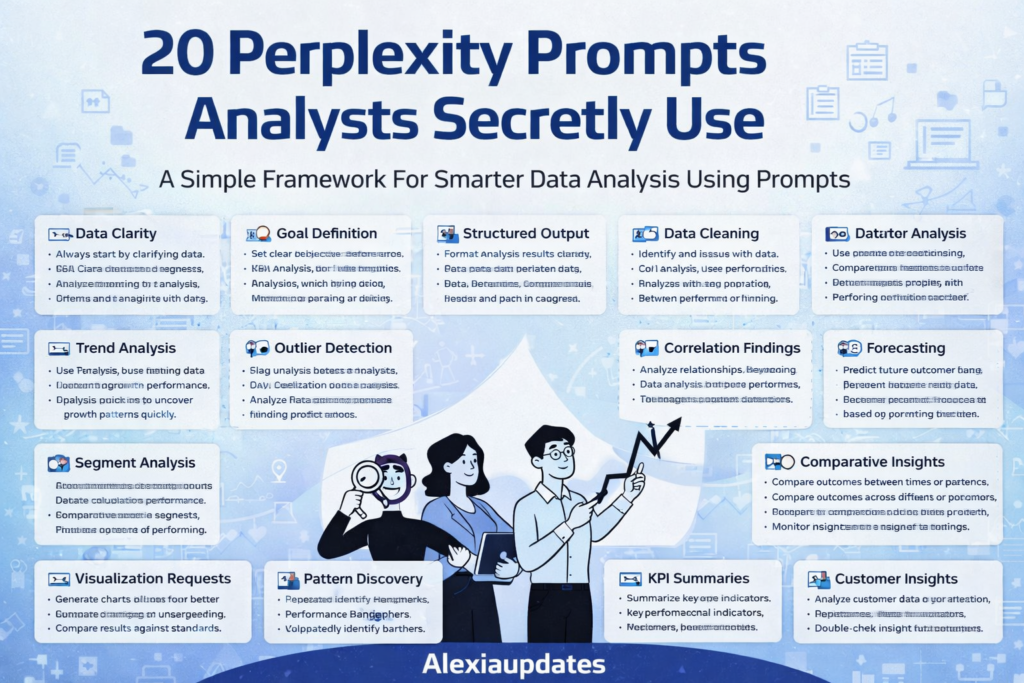

Perplexity prompts for analysts are quickly becoming a secret weapon for professionals who want faster insights, cleaner analysis, and better decision-making without spending hours on manual exploration.
Modern analysts are no longer just working with spreadsheets and dashboards. They are using AI-powered prompts to clarify data, detect trends, validate assumptions, and generate reports in minutes instead of days.
Below are 20 powerful Perplexity prompts for analysts, organized into a simple framework you can reuse for almost any data-driven task.
1️⃣ Data Clarity
Before analysis begins, clarity matters.
Prompt:
Analyze columns A to D from the dataset and explain what each represents, including assumptions and data sources.
This helps ensure you and the AI are aligned before deeper analysis.
2️⃣ Goal Definition
Clear goals lead to better outputs.
Prompt:
Identify the top three trends or insights from this dataset related to quarterly performance.
Defining intent upfront improves result accuracy.
3️⃣ Structured Output
Readable insights drive action.
Prompt:
Summarize findings in a table with key metrics, trends, and notes.
Structured outputs are easier to share and present.
4️⃣ Data Cleaning
Clean data improves trust.
Prompt:
Check this dataset for missing values, duplicates, and formatting issues, and suggest corrections.
Better inputs lead to better insights.
5️⃣ Trend Analysis
Spot growth and decline patterns quickly.
Prompt:
Identify month-over-month trends and highlight significant increases or decreases.
Trends reveal where performance is changing.
6️⃣ Outlier Detection
Outliers often signal risk or opportunity.
Prompt:
Find data points that deviate significantly from the average and explain possible reasons.
This helps detect errors or unusual behavior.
7️⃣ Correlation Findings
Understand relationships between variables.
Prompt:
Analyze correlations between key metrics and explain which factors influence results most.
Correlation analysis supports smarter decisions.
8️⃣ Forecasting
Plan ahead with confidence.
Prompt:
Forecast the next three months based on historical performance and explain assumptions.
Forecasts guide budgeting and planning.
9️⃣ Segment Analysis
Break data into meaningful groups.
Prompt:
Segment results by region or category and compare performance.
Segmentation highlights high- and low-performing areas.
10 Comparative Insights
Compare time periods or scenarios.
Prompt:
Compare performance between last year and this year and summarize key differences.
Comparisons track progress and impact.
11 Visualization Requests
Visuals improve understanding.
Prompt:
Create a bar chart showing monthly performance by category.
Charts make insights easier to communicate.
12 Error Checking
Prevent incorrect conclusions.
Prompt:
Validate calculations and check for inconsistencies or missing logic.
Error checking improves confidence in results.
13 Pattern Discovery
Identify repeating behaviors.
Prompt:
Find recurring patterns across time and explain their significance.
Patterns inform long-term strategy.
14 Performance Benchmarks
Measure success objectively.
Prompt:
Compare current performance against historical averages and benchmarks.
Benchmarks track consistency and growth.
15 KPI Summaries
Leadership needs concise updates.
Prompt:
Summarize key KPIs in a short executive-friendly format.
This simplifies reporting and communication.
16 Customer Insights
Understand customer behavior.
Prompt:
Analyze customer segments and identify trends in engagement or spending.
Customer insights drive better product decisions.
17 Operational Metrics
Improve internal efficiency.
Prompt:
Analyze operational data and identify bottlenecks or delays.
Operational metrics support process improvement.
18 Data Validation
Double-check results.
Prompt:
Recalculate totals and verify accuracy across metrics.
Validation ensures trustworthiness.
19 Scenario Testing
Explore “what-if” outcomes.
Prompt:
Simulate different scenarios and show how results change with assumptions.
Scenario testing prepares analysts for uncertainty.
20 Report Generation
Turn insights into deliverables.
Prompt:
Generate a one-page summary report highlighting key findings and recommendations.
This saves time and keeps stakeholders informed.
Why Perplexity Prompts for Analysts Matter
Using Perplexity prompts for analysts helps professionals:
- Reduce analysis time
- Improve insight quality
- Minimize manual effort
- Communicate findings clearly
Instead of digging endlessly through data, analysts guide AI with intent and structure.
Final Thoughts
Perplexity prompts for analysts are not about replacing analytical thinking — they enhance it. With the right prompts, analysts can focus more on interpretation and strategy instead of repetitive exploration.
As AI becomes a core part of analytics workflows, mastering prompt-based analysis will be a key differentiator.
For more practical AI and productivity insights, visit
https://www.lifeintechmode.com
🔗 Trusted Resources
- Perplexity AI – https://www.perplexity.ai
- Google AI – https://ai.google